Open source lighting control desk

ToskLight Control

ToskLight Control icon

Full tracking, preset and group referencing, lightweight plan and wireframe Stage views, and GDTF/MVR support, driving DMX over network protocols or supported USB interfaces from your computer. Use Architect for rendered lighting, haze, and shadows.

Why it exists

Professional concepts should survive a smaller budget.

The industry-standard consoles are excellent and worth every penny. If you can afford one, buy one. The difficulty sits below that budget: smaller productions fall back on open or low-cost software built on entirely different concepts, so the workflow does not carry over. You learn a model that stops applying the day you decide to take this seriously.

ToskLight bridges that gap: professional concepts, free to use, running on macOS, Windows and Linux. It follows the conventions established by industry-standard desks, including full tracking and proper referencing of groups and presets, so the hours you put in here carry over to the craft you want to practise. The entry point is different: point at things to get a show running, then grow into the command line and the deeper structure as you need them.
Application overview
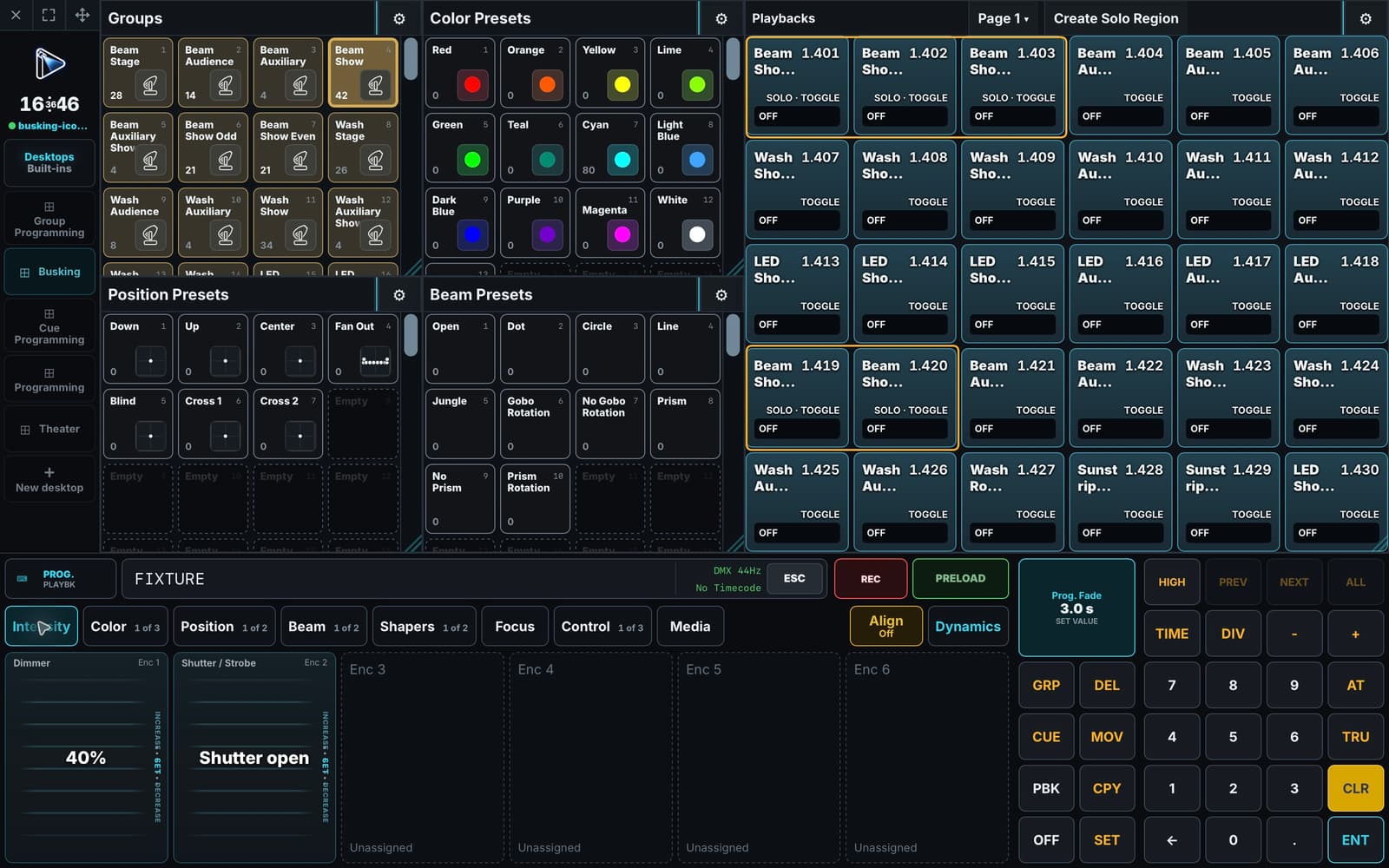
Application overview The approved Busking workspace with proper fixture group icons, reusable presets, playbacks and programmer.

The desk

Everything an operator touches, on one surface.

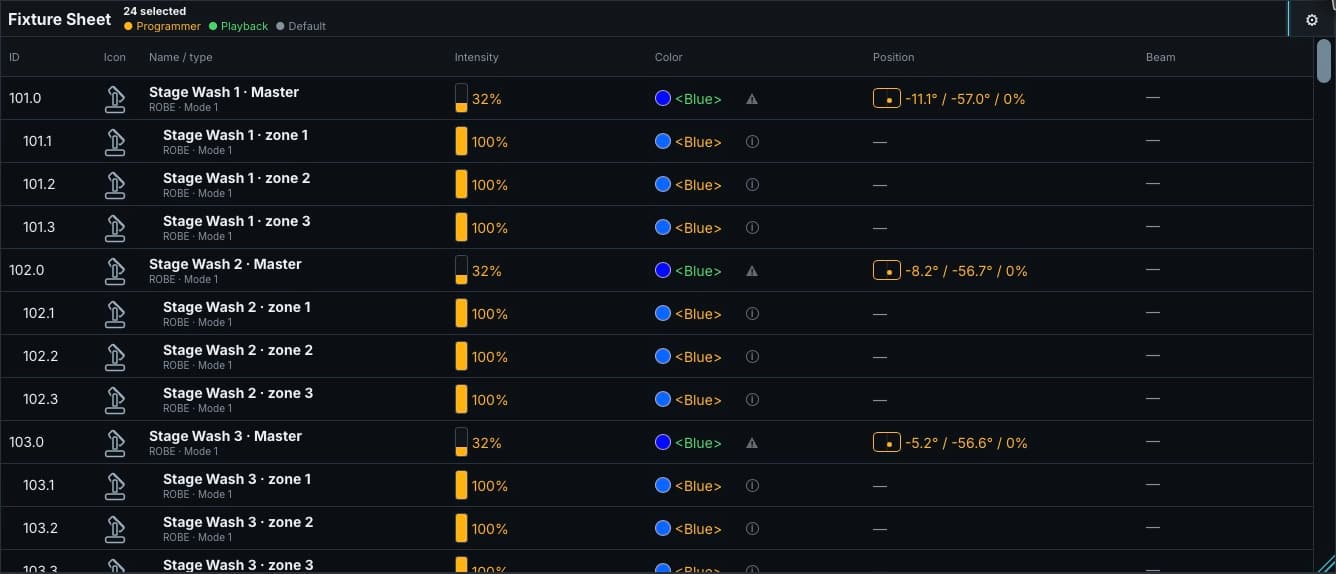
The Fixture Sheet lists every patched fixture with its live dimmer, colour, position, beam and focus values, and marks whether each one comes from the Programmer, playback or the default. It answers the operator's real question: what is this light doing, and who told it to?

Built-in views cover the work most shows need, while Desktops let you arrange your own. The lower section switches between the Programmer and freely configurable playbacks, reshaping itself when a hardware surface is connected.

Track every change
Track every change Inspect live intensity, color, position, and value ownership for the current rig directly in the Fixture Sheet.

The programmer

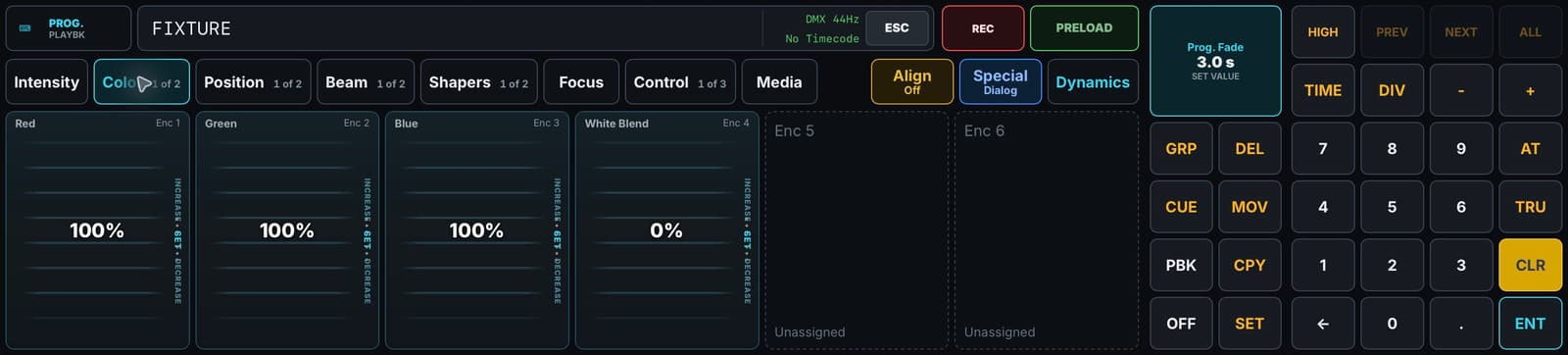
A programmer that works the way desks work.

Intensity, colour, position, beam, shapers, focus, control and media sit in familiar attribute banks. Everything is reachable through the touch surface or typed on the command line, which becomes the faster path once it is in your fingers.

Values stay in the Programmer until they are recorded. Blind, preview and highlight let you build the next look while the current one remains live.

The programmer
The programmer Familiar attribute banks, encoders, and command-line programming.

Referencing

Cues point at groups and presets, not at numbers.

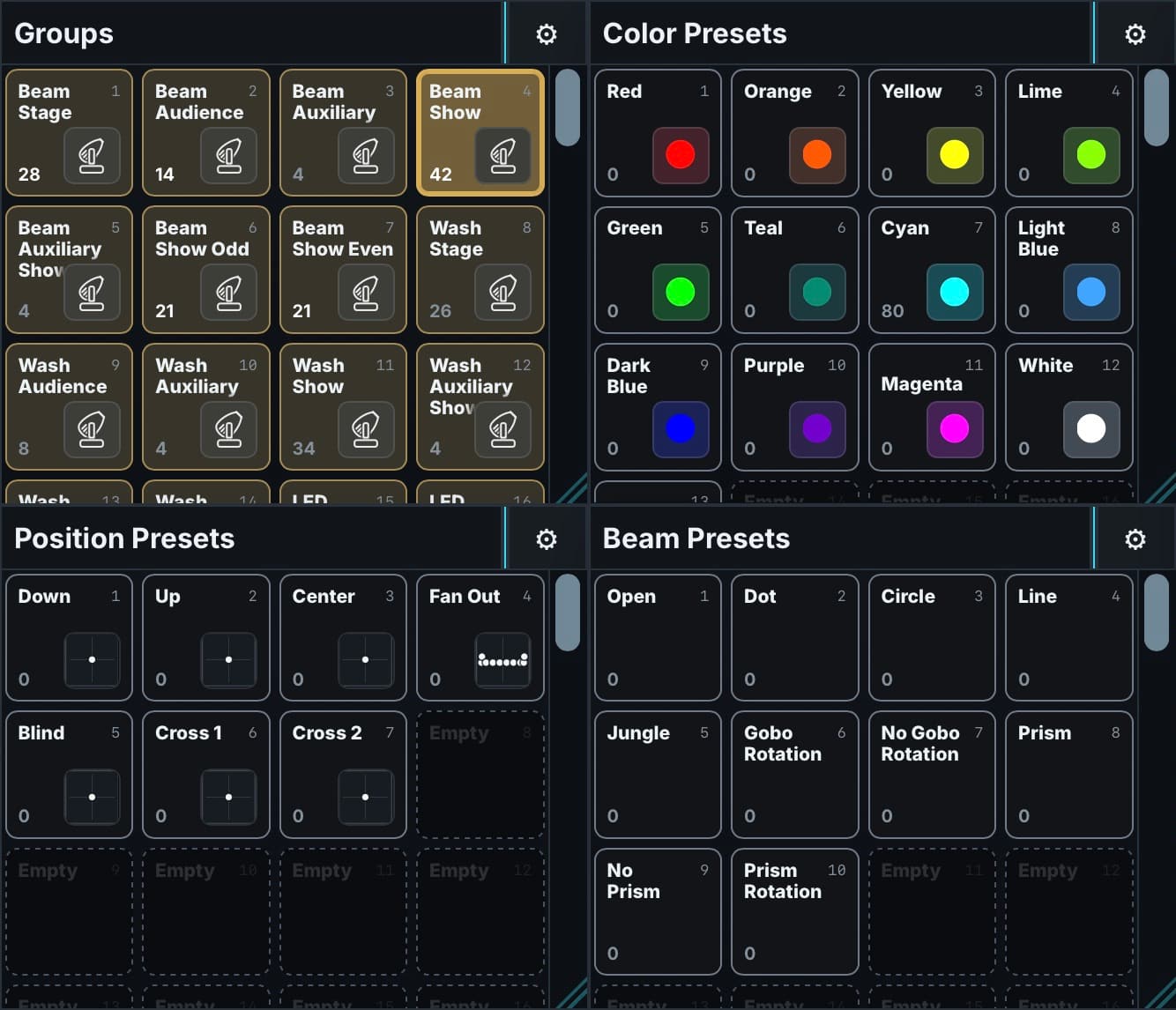
Groups collect the fixtures you actually talk about during a show and presets hold the looks those groups take. Cues reference those objects instead of storing a fixed value on every fixture.

Change the house warm preset once and every cue that used it follows. Repatch a group after a fixture fails and the cues keep working.

Groups and presets
Groups and presets Groups and Color, Position and Beam presets keep cues connected to reusable show objects.

Tracking

Full tracking, so a cue only stores what it changes.

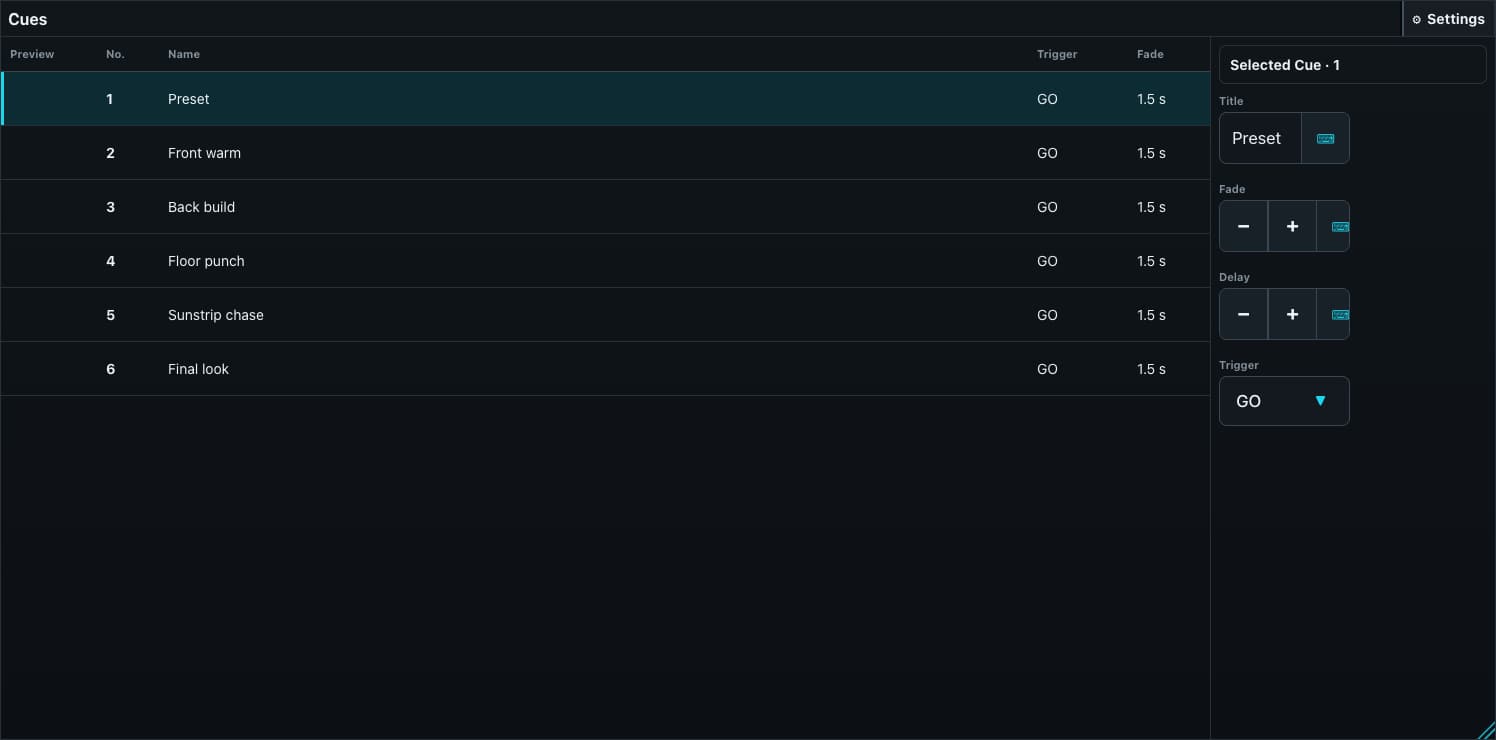
Each cue stores only what it changes and everything else tracks through from the cues before it. A cue list reads as a sequence of intentions rather than a series of complete stage states.

That saves the afternoon when a lamp is missing from a look: add it once and it stays in every cue that follows, instead of being pasted into each of them.

Cues
Cues Build a repeatable sequence of intentions for the show.

Timecode · In development

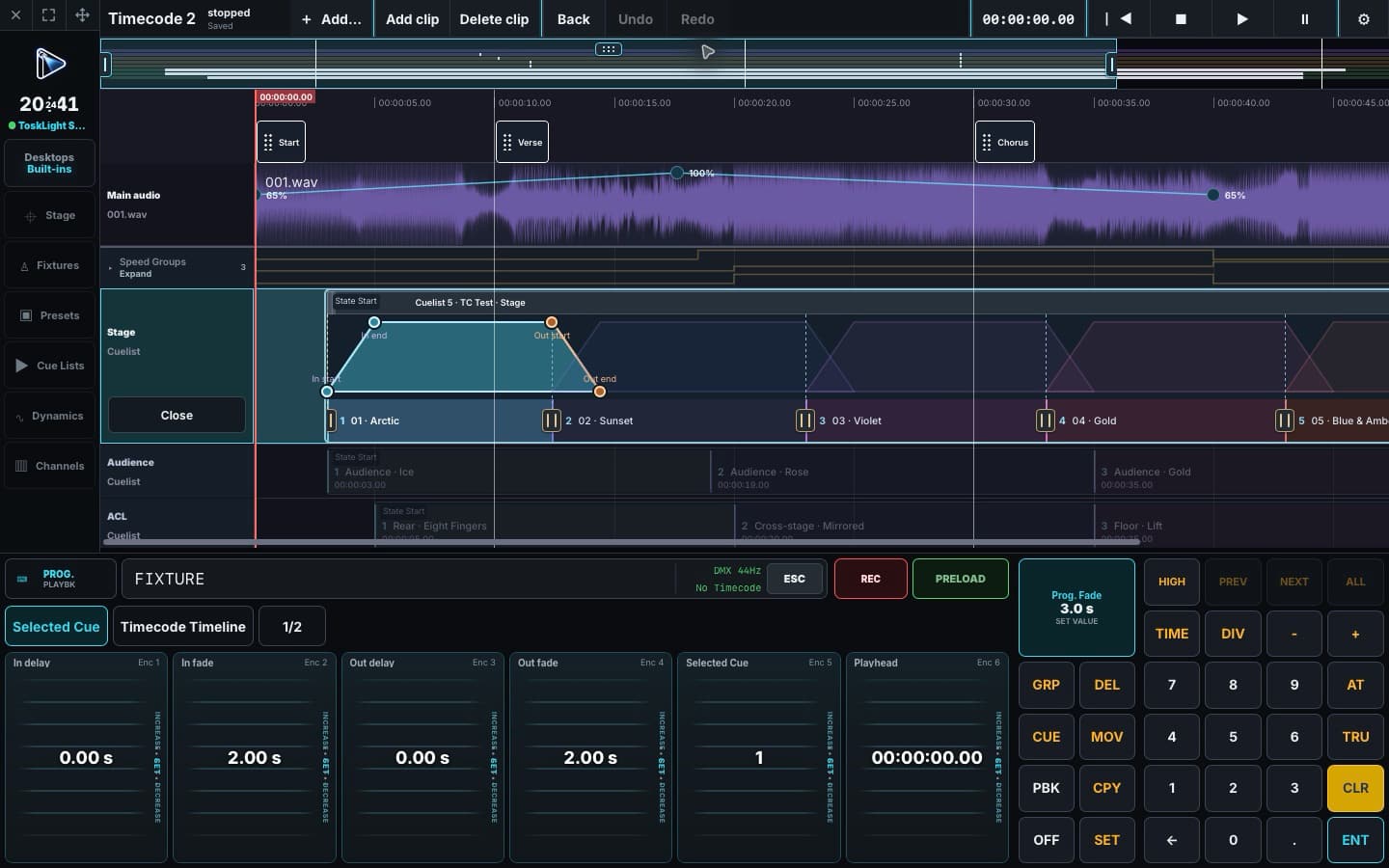
Build a show against a shared timeline.

Place Cue triggers, edit Cue fade points, and arrange audio and Speed Groups on the timeline. The overview keeps navigation close while you work on an individual Cue.

Still in development — use with caution. Test your show thoroughly before relying on Timecode for a live performance.

Timecode · In development
Timecode · In development Cue triggers, fade points, audio, and Speed Groups on one timeline. Still in development — use with caution and test your show before relying on it live.

Output

Connect over the network or USB.

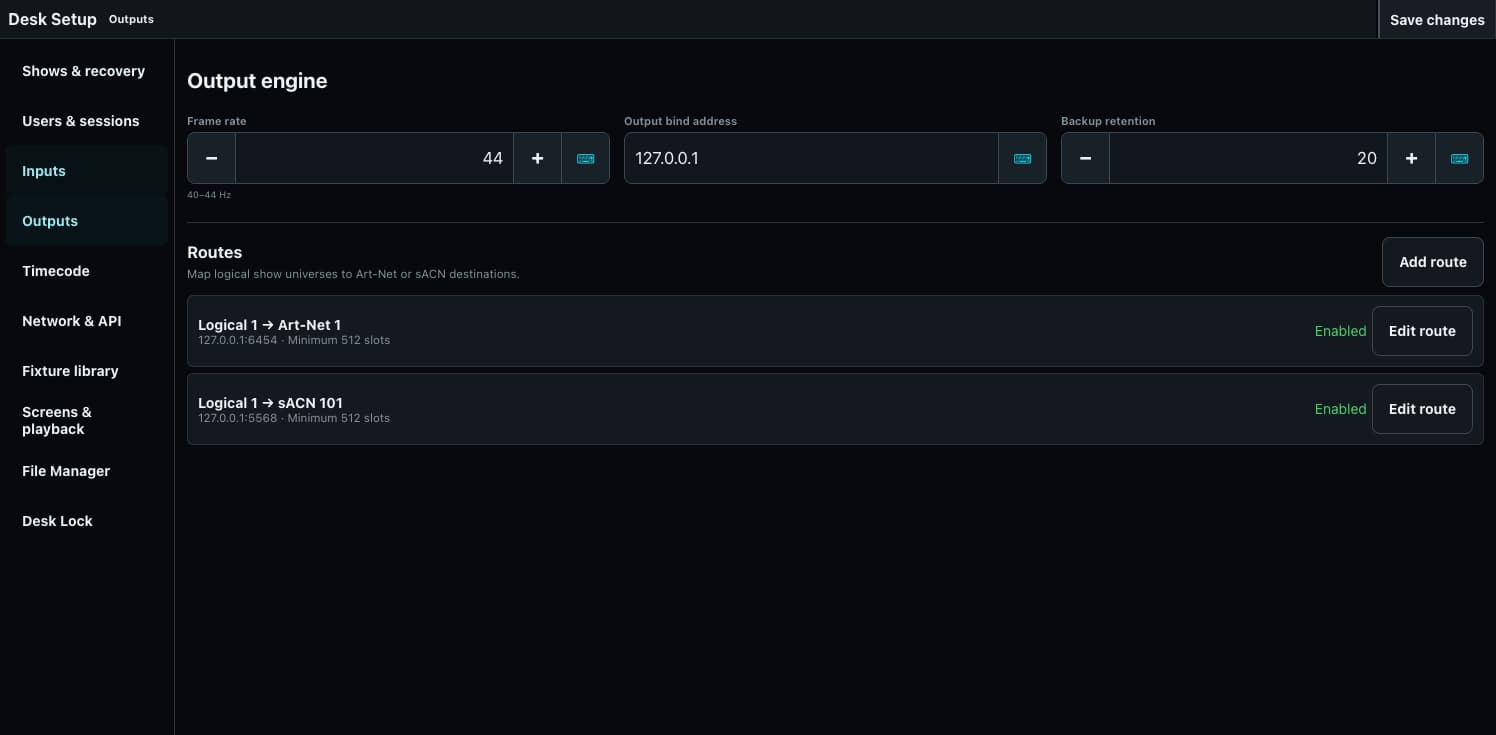
Send DMX through Art-Net, sACN, or supported USB DMX interfaces. Explicit output routes keep the show independent of the network or adapter used at tonight’s venue.

Frames go out on a fixed schedule, keeping the output rate consistent while you program and run the show.

Output
Output Configured Art-Net output routes alongside a disabled USB DMX configuration example.

Dynamics

Shape movement. Keep it on the beat.

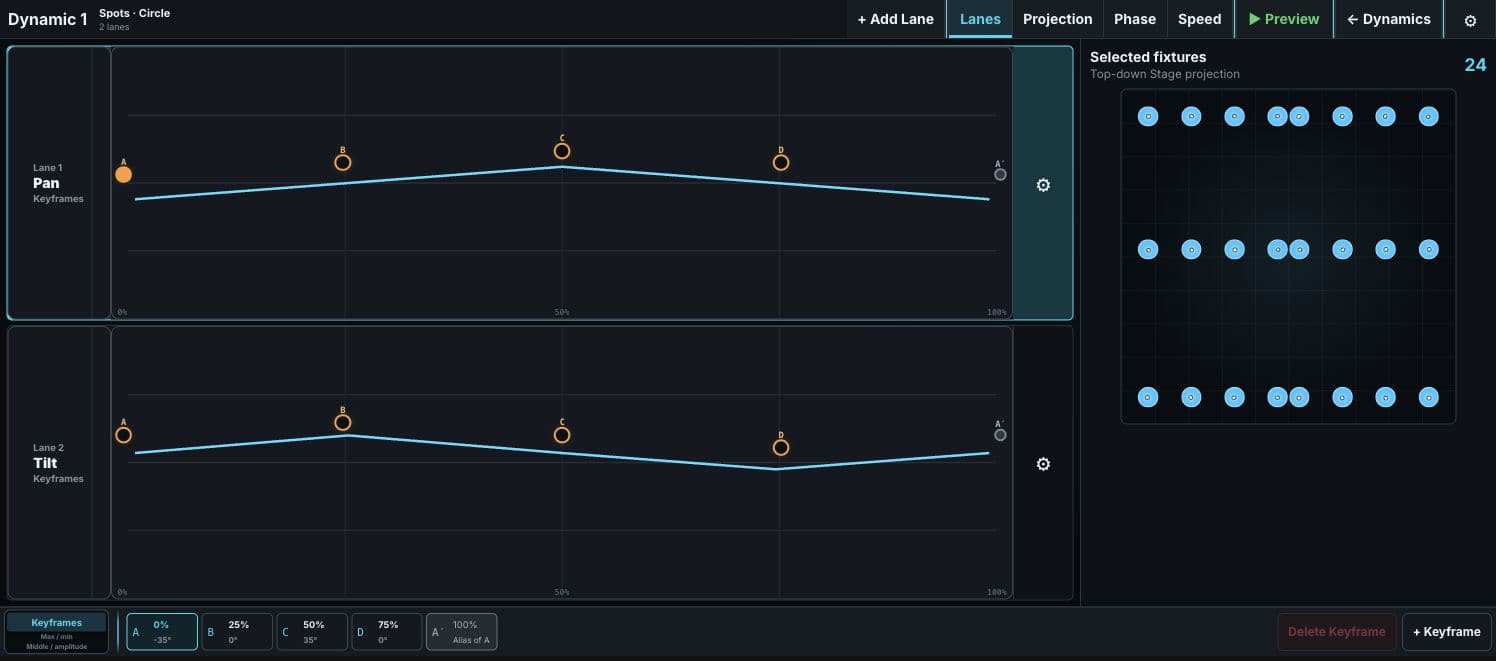
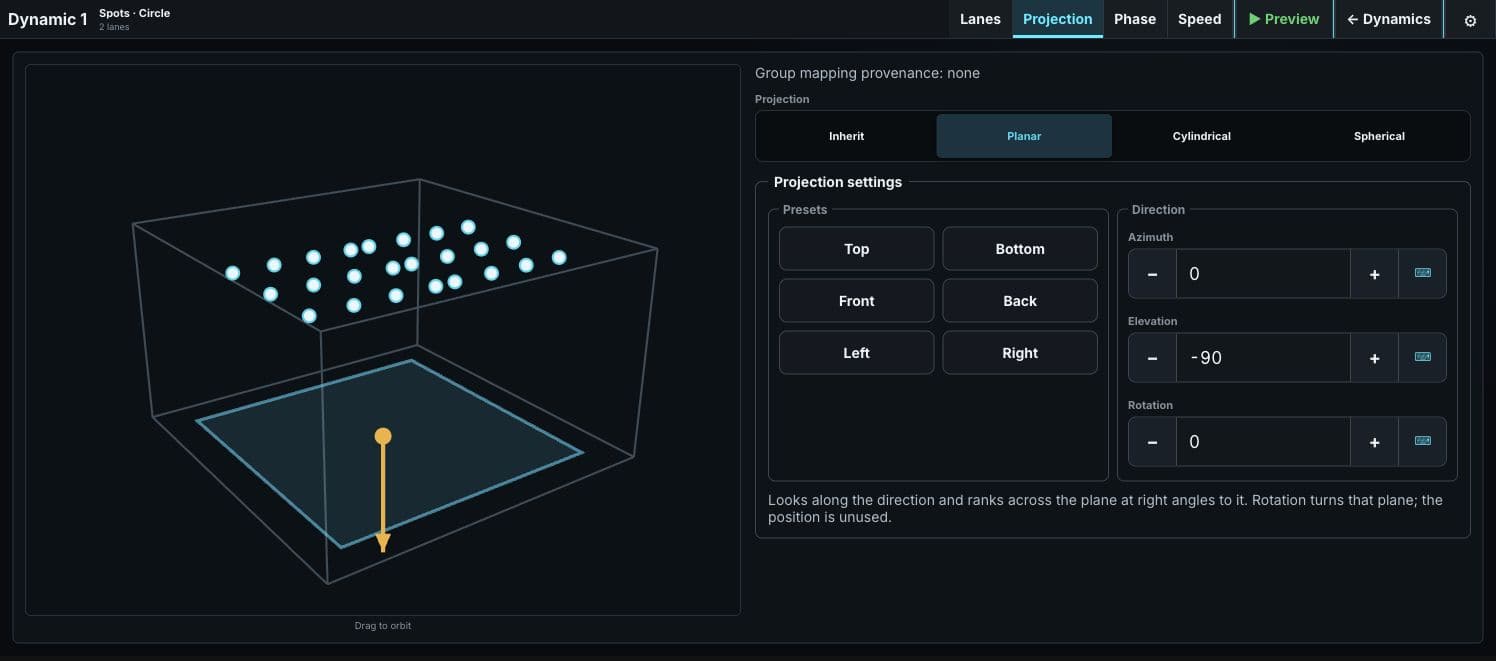
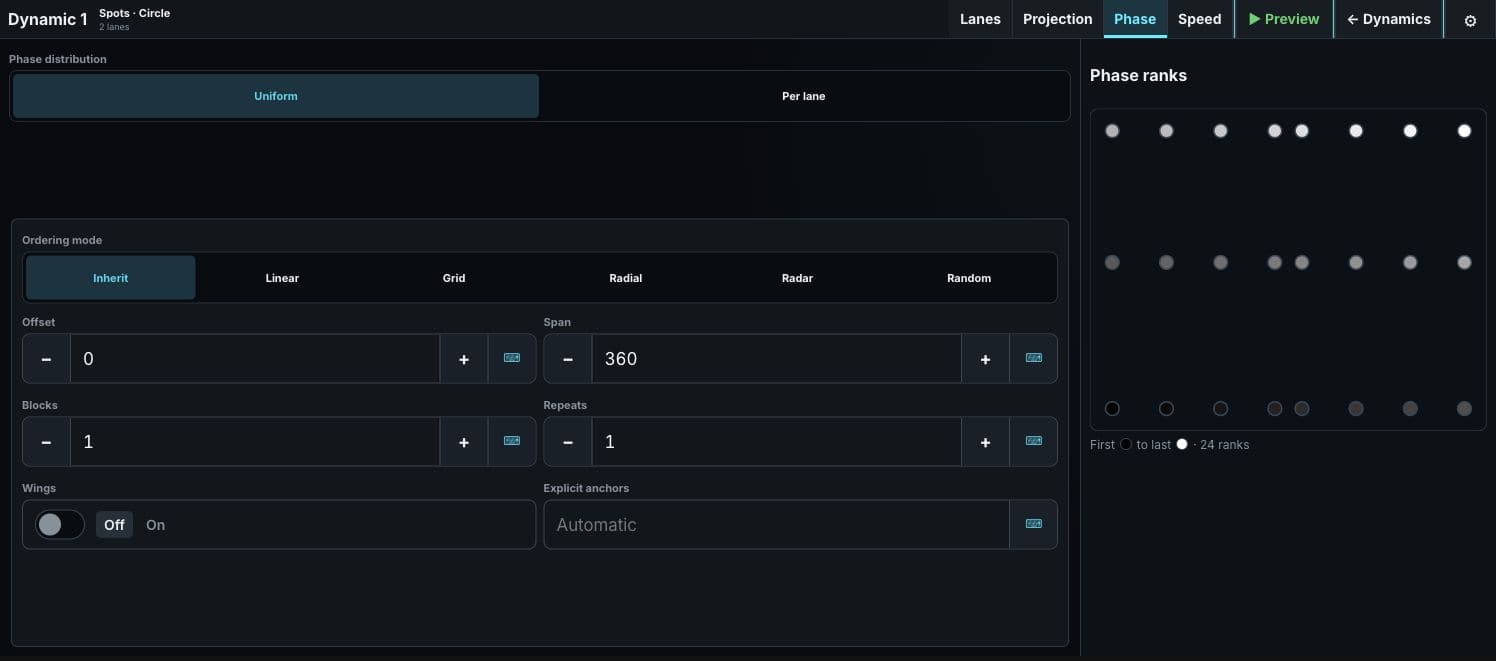
Build effects for intensity, color, position, and other supported parameters using functions or editable keyframes. Distribute them across the rig in 3D, then shape their ordering and phase to create coordinated movement.

Like working the sync controls on a DJ desk, five Speed Groups keep chases and Dynamics on a shared beat: tap the tempo, enter BPM, or follow the music through Sound to Light. Choose whether a Dynamic starts immediately, joins the running sync phase, or waits for the next beat or four-beat bar.

Media Server

Keep your media server close to the desk.

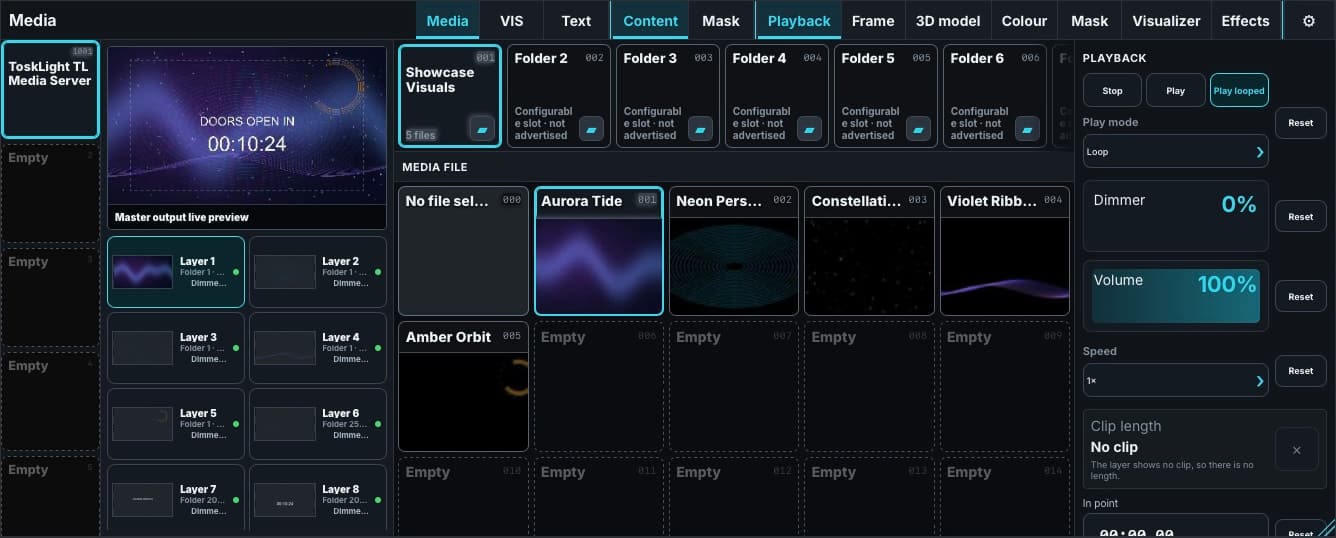
Browse media and control layers from a compatible media server in your Control workspace. CITP/MSEX supplies names, thumbnails, and previews where supported.

Use Pixel or another compatible server, and arrange the Media pane alongside your fixtures, presets, and playbacks.

Media at the desk
Media at the desk Browse the connected media server, choose its layers and media, and shape the live picture from the actual Control workspace.

Hardware

Choose the controls that suit your show.

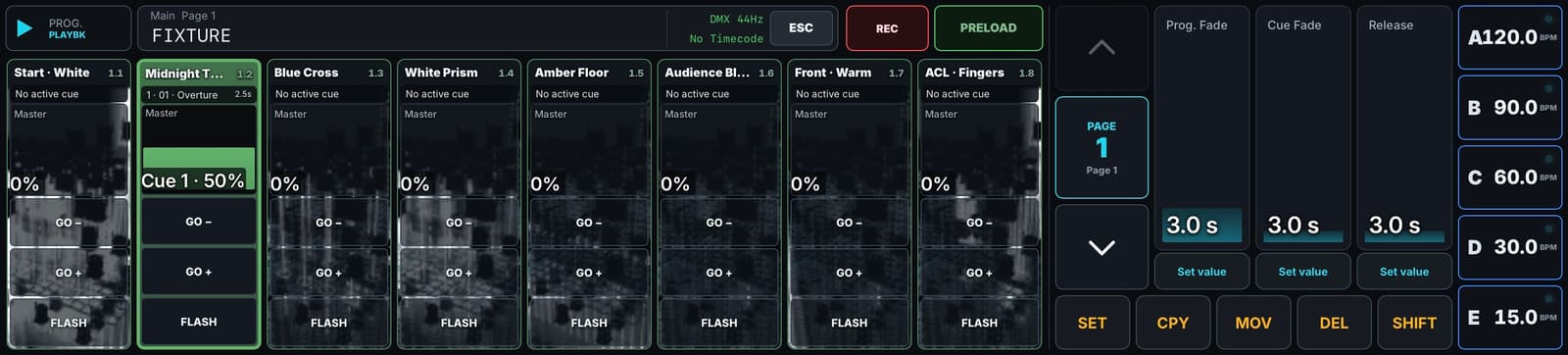
Run the desk from its software playbacks or connect an OSC control surface. The attached surface shares Control’s Programmer, command line, and playback pages.

Custom hardware bridges can use the documented OSC controls and feedback. The UI adapts when hardware connects: a compact playback view frees room when the controller supplies buttons and faders you no longer need at full touchscreen size.

What is coming

Still moving forward.

Position / PSN support

Public beta

Timecode and timeline editor

In development · use with caution

Plugin support

In planning