One show. Three focused tools.
Build the rig.Shape the light.Move the room.
ToskLight brings professional lighting control, live visuals, and media playback into one coherent show workflow without asking smaller productions to learn throwaway tools.
Current build · v1.4.1Free to use, and it will stay free.
Why it exists
Professional concepts should survive a smaller budget.
The industry-standard consoles are excellent and worth every penny. The difficulty sits below that budget: smaller productions often learn a workflow that stops applying the day they decide to take the craft further.
ToskLight bridges that gap with professional concepts, free to use on macOS, Windows, and Linux. Start by pointing at things to get a show running, then grow into the command line, tracking, and referencing as you need them.
The ToskLight suite
Plan your venue. Build the moment. Run the show.
Turn a rough venue plan into a show that looks considered from the first focus session to the final cue. Draw and print a plan, see the rig before you arrive, program a show that stays understandable, and play video as part of the picture. ToskLight keeps lighting, visualisation, and video together, so the whole picture stays clear as the production comes to life.
Use the suite together or connect each application to any Art-Net or sACN-compatible lighting desk.
The generated product demo is not available in this local Pages build.
Open source lighting control desk
ToskLight Control
Easy to enter. Deep enough to grow with you.
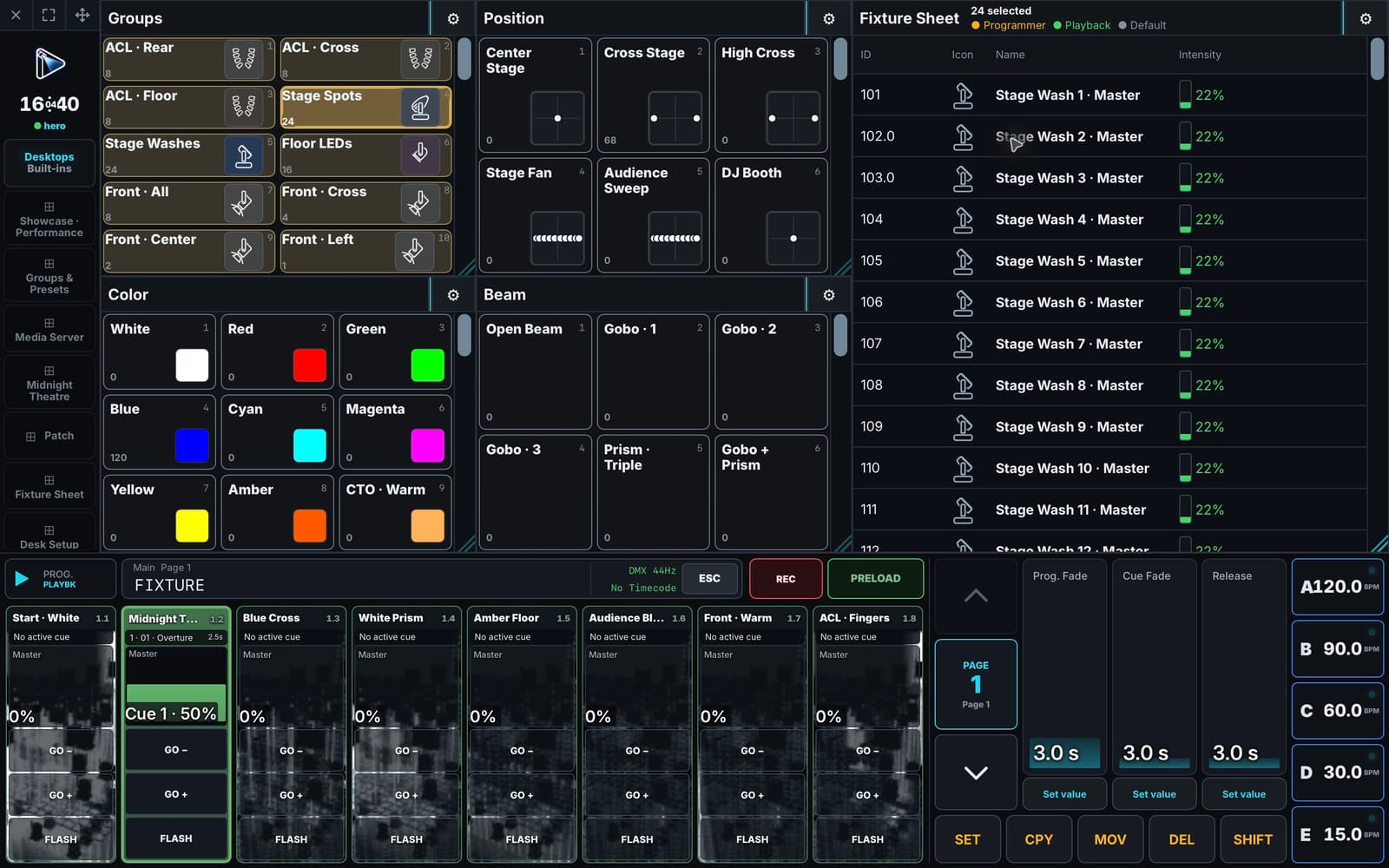
Start with direct fixture control and reusable looks. Add tracked cues, Dynamics, command-line programming, and custom workspaces as your show and your confidence grow.
- Program naturally, with intention. Start with direct controls and grow into a desk-style command language. You program what you mean, not DMX values, so a show stays portable between fixture types, and groups and presets keep every look connected to the show.
- Desk-style shows with modern effects. Run cue lists with full tracking, and layer Dynamics on top for movement, colour, and intensity effects.
- Bring your rig and connect to the real world. Import and export your rig with the industry standards MVR and GDTF, so it moves between planning tools and other lighting desks. Output through sACN, Art-Net, or USB DMX, with as many universes as your hardware supports. The released desk is tested with eight full universes.
Open source live media server
ToskLight Pixel
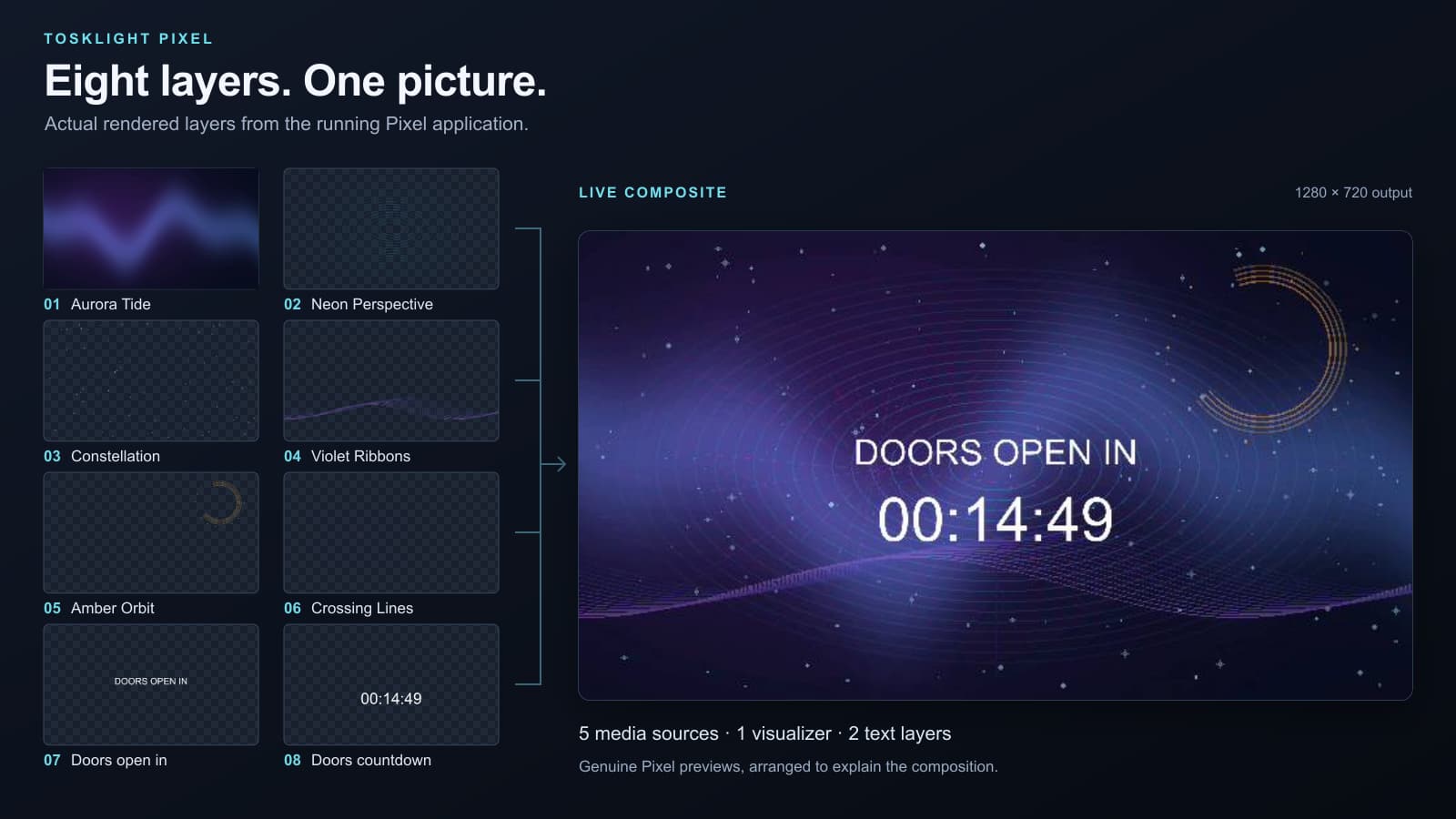
Build a complete visual picture from video, images, text, generated visuals, and effects. Run it locally or let any Art-Net or sACN-compatible desk take control.
- Compose the image live. Stack up to eight independent video layers, shape them, and keep the final composition in view.
- Use the desk you already know. Patch Pixel into any Art-Net or sACN show, with previews and media choices available when you need them.
- React to the music. Beat detection drives effects and visualizers that respond to what they hear.
Open source visualizer and show CAD
ToskLight Architect
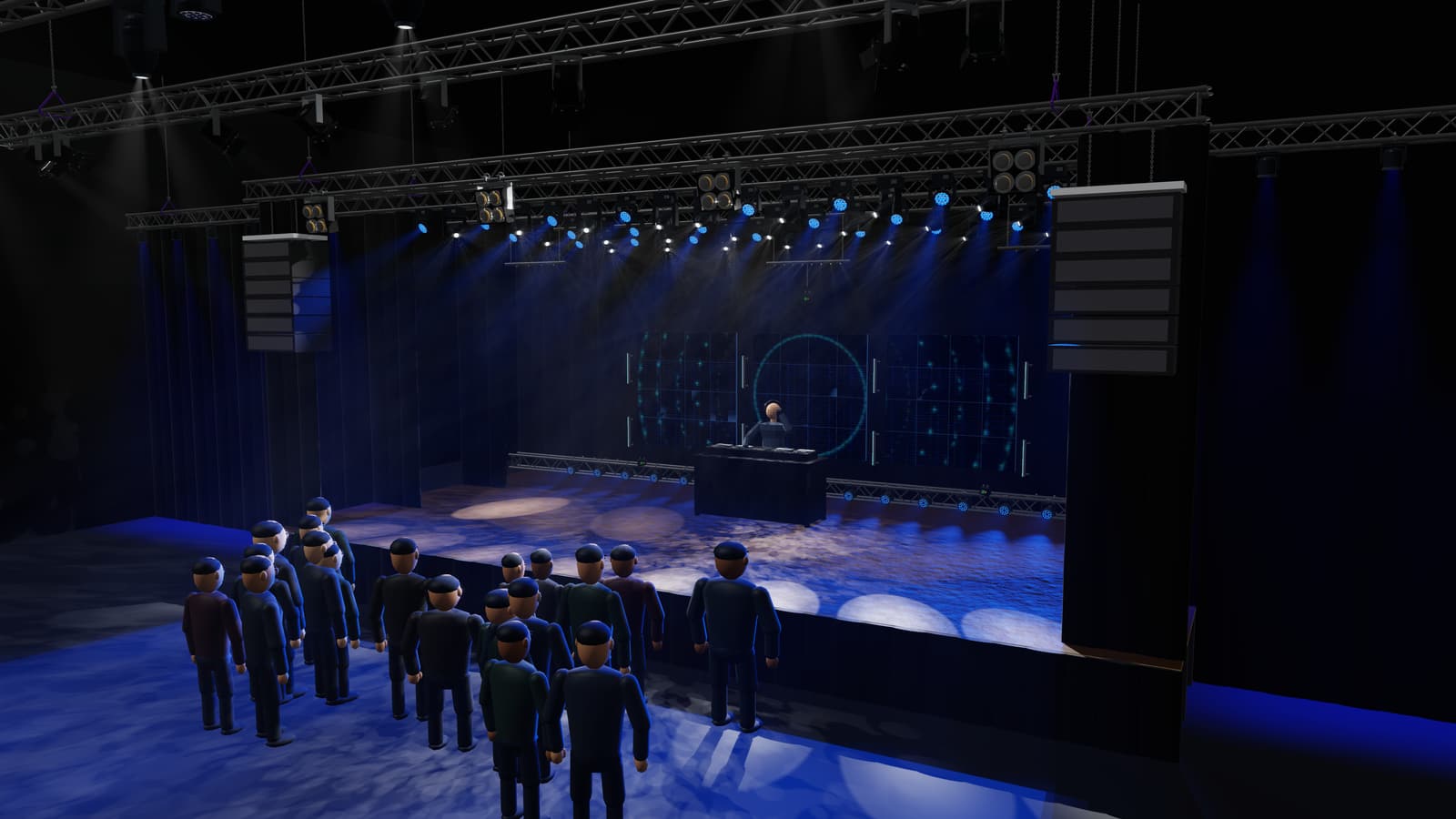
Plan a venue in CAD, print the plan, and see the finished rig in a live 3D renderer. Prepare before the desk arrives, then visualize real Art-Net or sACN from ToskLight or another compatible desk.
- Plan the physical show. Lay out fixtures, scenery, media surfaces, patch, stages, and rigging in a CAD-style editor.
- Visualize live. Render beams, focus, colour, movement, gobos, lasers, and venue geometry. Moving trusses are supported.
- Move between planning and control. Architect and Control share the same
.showformat and the same import and export engine, so both support the industry standards MVR and GDTF.
A connected production workflow
From first idea to final output.
- 01Plan
Build the venue, rig, patch, and media surfaces in Architect.
- 02Program
Create fixture looks, cues, effects, timelines, and playbacks in Control.
- 03Visualize
Check the rig, focus, and complete stage picture in Architect before the show.
- 04Perform
Run lighting and media from one deliberate operator workflow.
Current test release · v1.4.1
Ready to try the suite?
Choose the right build for your show computer on the dedicated downloads page.