Open source live media server

ToskLight Pixel

ToskLight Pixel icon

ToskLight Pixel brings video, images, text, generated visuals, and effects into the same live decision-making space as the rest of the show.

Library

Prepare every visual for the show.

Keep videos, transparent images, text, and generated sources together in a visual library. Browse by folder and thumbnail, then choose the content for each layer.

Pixel prepares imported media for live playback and gives it a predictable address at the lighting desk.
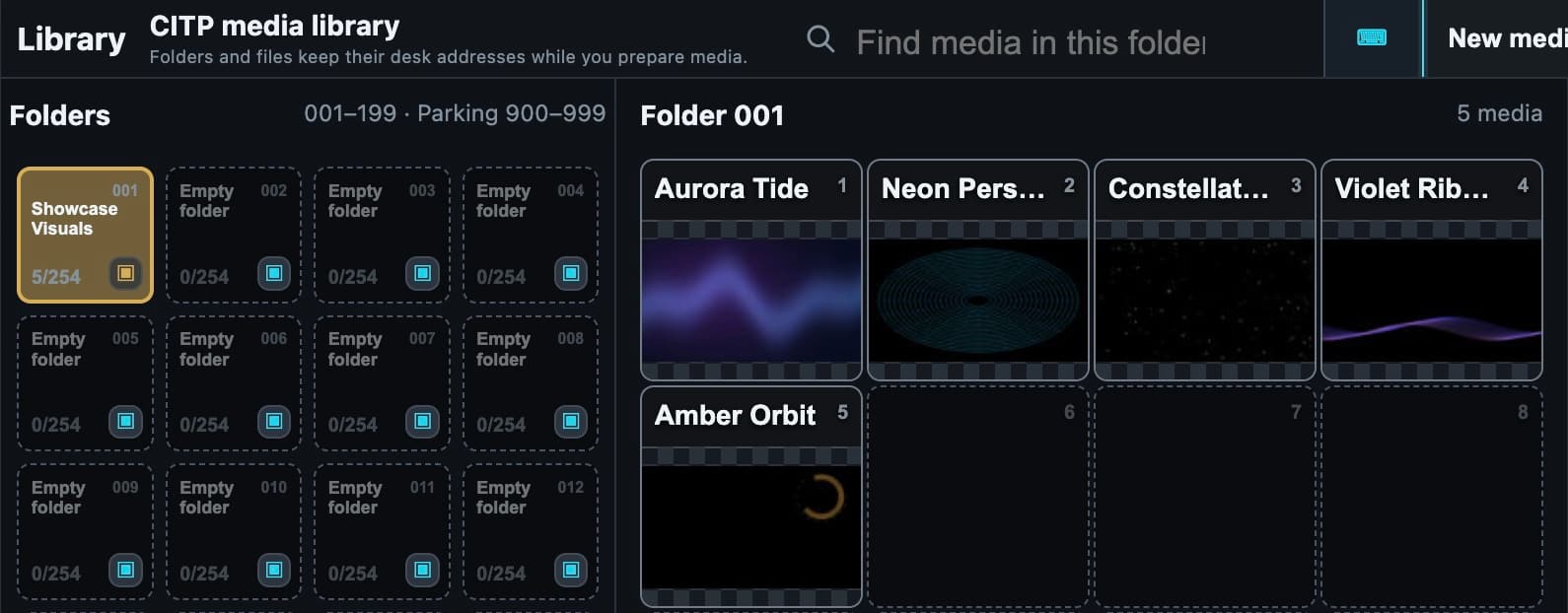
Every visual, ready for the show
Every visual, ready for the show Manage videos, transparent images, live visualizers, and flexible text in one visual library. Pixel prepares imported media for reliable playback and keeps every asset ready at a predictable desk address.

Visualizers

Let the music shape the picture.

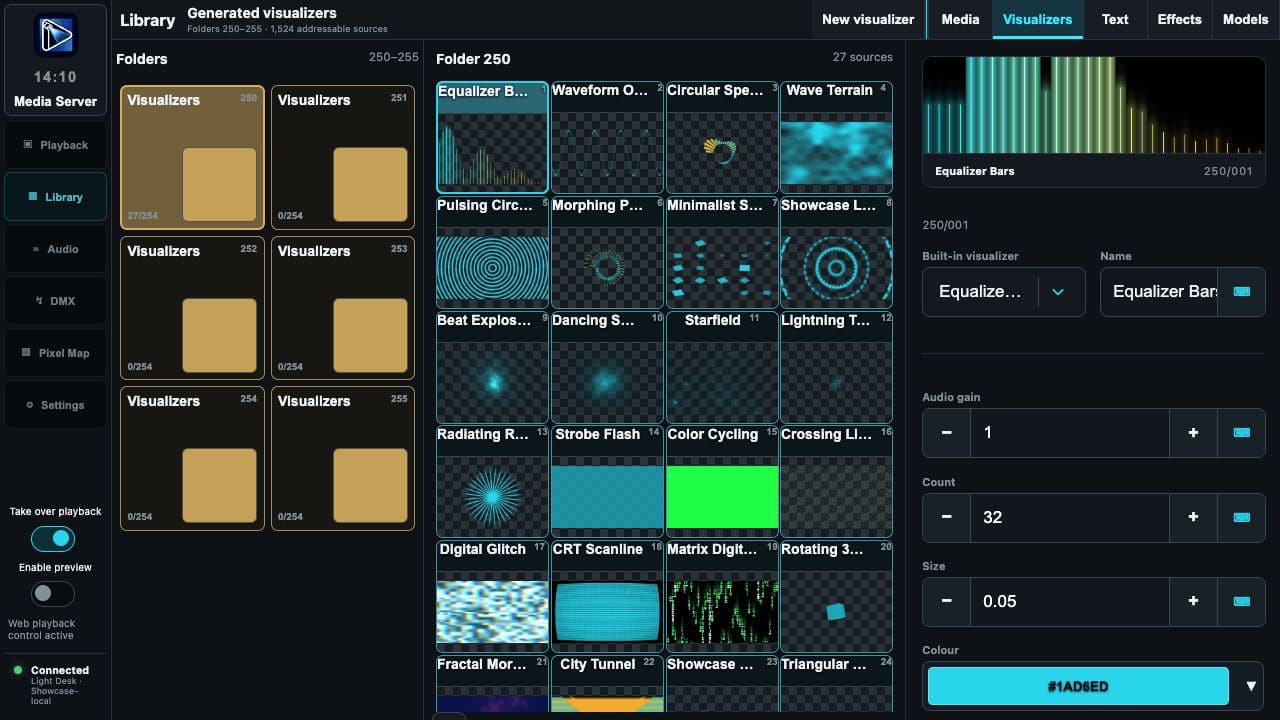
Choose a sound-driven visualizer and adjust its appearance to suit the room and the music.

Live audio analysis drives the visualizer while it remains part of the same layered composition as your media.

A visual library that goes beyond files
A visual library that goes beyond files Select a live sound-driven visualizer beside videos, transparent images, and flexible text, then keep every visual asset ready to use from one clear library.

Text

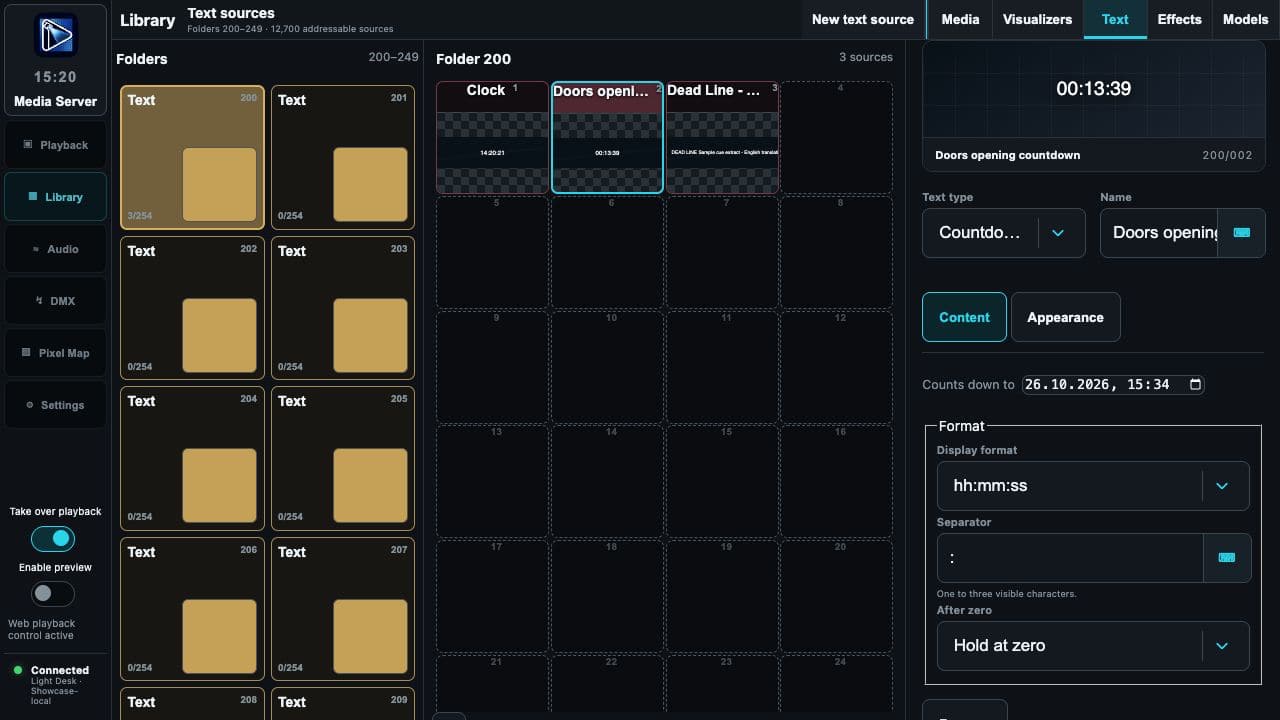
Doors open in …

Put a countdown, clock, title, or message into the picture with an editable text layer. For example, count down to doors opening, then switch to the next message for the audience.

Position and style text alongside video and images, with the same layer controls as the rest of the composition.

A countdown to doors opening
A countdown to doors opening Configure a real countdown target, display format and behavior after zero beside its running Pixel preview.

Layers

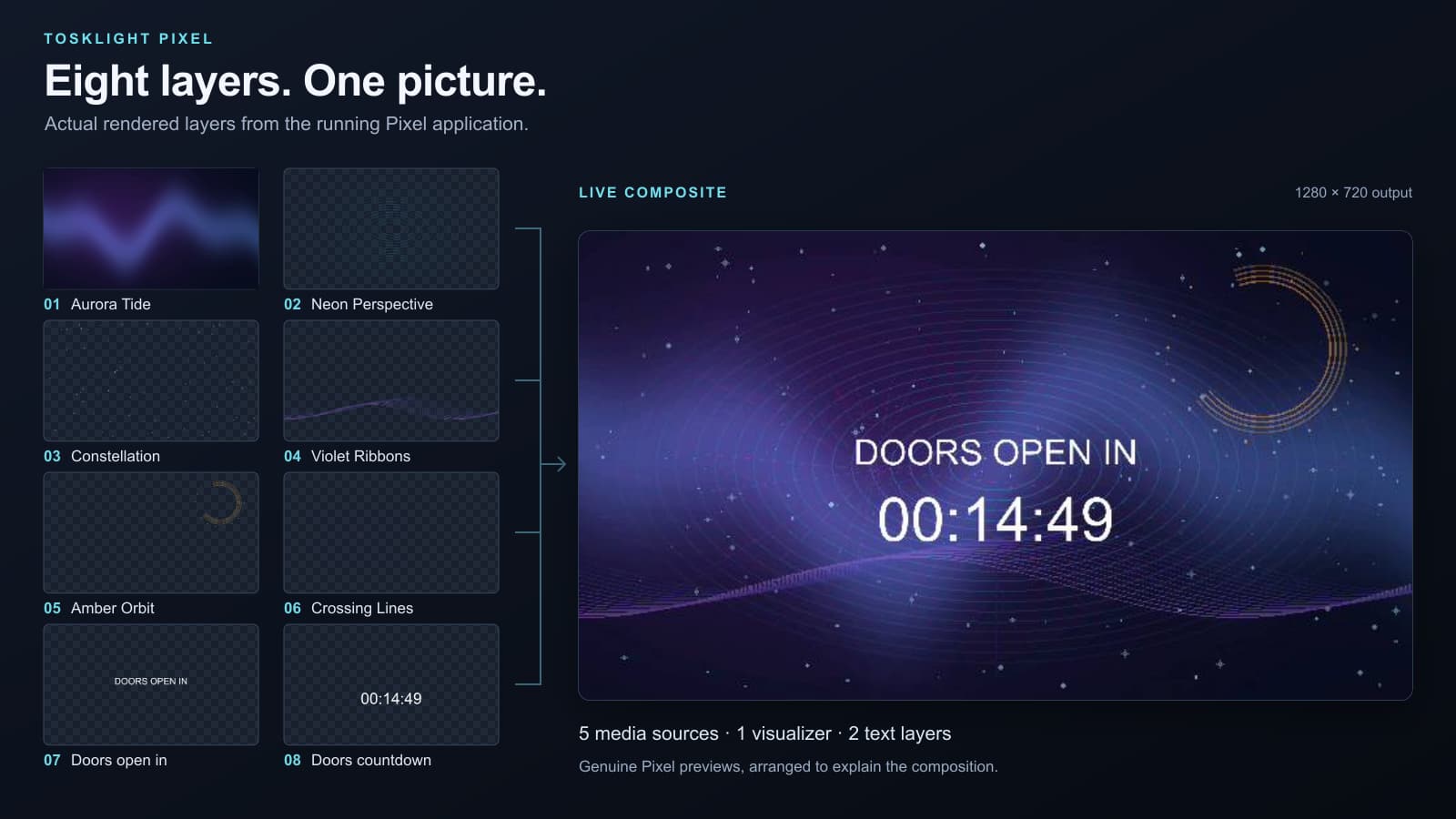
Image and video layers, up to eight at once.

Build a complete visual output from up to eight independently controlled image and video layers. Shape their position, opacity, masks, frames, and effects while keeping the complete composition visible.

The layers are designed for a live show: each one can be controlled directly in Pixel or reached from the lighting desk over sACN and Art-Net.

Eight layers. One deliberate picture.
Eight layers. One deliberate picture. Eight real Pixel layers combine original media, transparent textures, a generated visualizer, and native text into one live output.

Output

Send the picture to the screen.

Show Pixel’s output on a connected display or projector, including HDMI. Control layers over Art-Net or sACN, with CITP/MSEX for media names, thumbnails, and live previews.

DMX pixel output and multiple outputs are in public beta. Configure their mapping for the actual room and check the result on the production hardware.

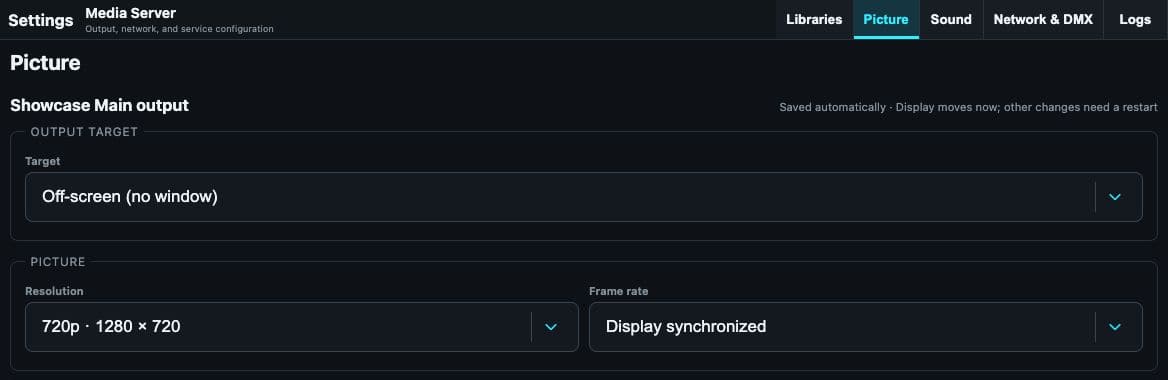
Media Server outputs
Media Server outputs Configure the output target, resolution, and frame rate. This actual example uses an off-screen 1280 × 720 output.

What is coming

Still moving forward.

DMX output and multiple outputs

Public beta

More visualizers

The visualizer catalogue continues to grow.